WeCom notification bot
CloudDM can monitor database CI/CD change flows and execution status, and notify your team when the status changes.
The provider screenshots in this guide show its Chinese interface.
Configure the bot
- Sign in to CloudDM with permission to manage integrations.
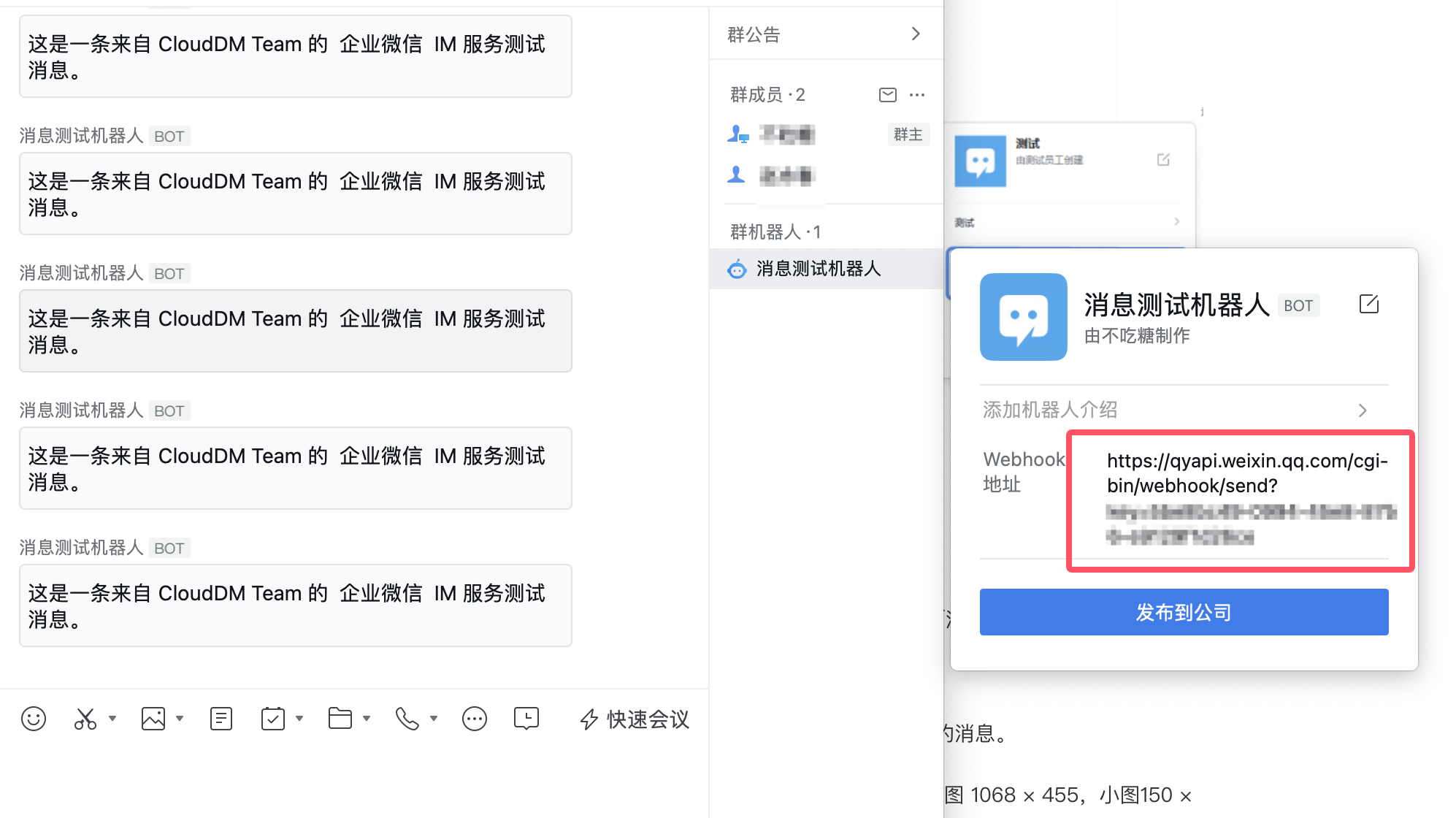
- Follow the WeCom group bot setup instructions to create a custom bot in the target group.
- Copy the webhook URL from the bot settings. If your security settings provide a secret, copy it as well.
- In CloudDM, open Integrations > Messaging and click Add.
- Select WeCom.
- Enter a Name and Webhook. Enter Secret if required by the bot's configuration.
- Click Test to verify that the bot receives the message, then click Add.
Subscribe to notifications
- In the CloudDM feature that sends notifications, select this messaging provider and configure the subscription events.
- Save the subscription and trigger a test event to check that the expected message arrives in the target group.